18 WordPress SEO Tools to Grow Your Traffic
Table of Contents
- How we chose these tools
- Measure and monitor
- On-page SEO plugins
- Keyword and competitor research
- Technical SEO, speed and schema
- Behavior and AI-era tools
- Local SEO
- Free vs paid: quick comparison
- A simple WordPress SEO workflow
- Mistakes that quietly cost rankings
- FAQs
- Conclusion
Why most “best SEO tools” lists are less useful than they look
Open any search results page for this topic and you will find lists of thirty, forty, sometimes sixty tools, each with a glowing paragraph. The trouble is not a shortage of options. It is a shortage of discrimination. A WordPress site owner with a blog, a handful of service pages and perhaps a WooCommerce shop does not need an enterprise suite. They need a small, dependable toolkit that answers four questions: Is Google finding my pages? Are those pages technically sound? Which topics should I write about next? Did my last change actually help?
This guide organizes 18 tools around exactly those questions. Wherever a price appears, it was checked against the vendor’s own pricing page or a recent independent source in October 2026, and prices are noted as starting points, because SaaS pricing shifts often. Before you buy anything, open the vendor’s pricing page and confirm.
How we chose these tools
Each tool had to clear three tests:
- It solves one clear WordPress SEO problem. Tools that merely repackage data you can already get free were demoted.
- Its free tier (or price) is honest. We note limits, trial rules and per-site licensing so you are not surprised at checkout.
- It is still relevant in 2026. Search has changed. AI Overviews, chatbot citations and Google’s pruning of rich results mean some older advice no longer holds. Where that matters, we say so.
Measure and monitor
1. Google Search Console
Official website: https://search.google.com/search-console
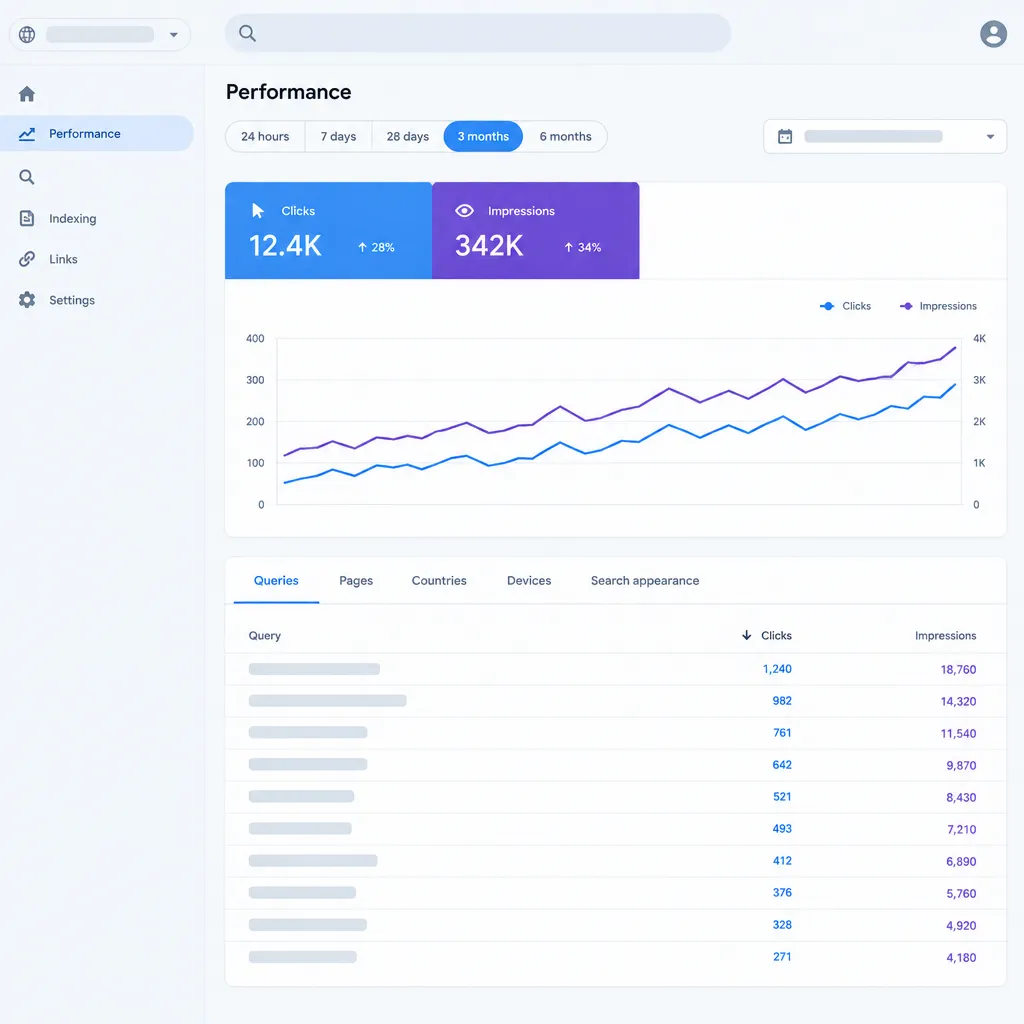
Best for: Seeing exactly how Google treats your site. Price: Free
Search Console is the single most important SEO tool you can connect to WordPress, and it costs nothing. It reports which queries show your pages, how many impressions and clicks they earn, which URLs are indexed, and which are excluded and why. Its Core Web Vitals report flags pages that load or respond sluggishly for real visitors.
What to do with it:
- Submit your XML sitemap (Rank Math and Yoast both generate one).
- Use the URL Inspection tool to request indexing for new or updated posts.
- Filter the Performance report for queries where you sit on positions 8 to 20. These “almost there” pages are usually the cheapest wins on your site.
- Watch for pages whose clicks decline month over month.
Caveat: Data is sampled and slightly delayed, and it shows Google only. It will not tell you what visitors did after arriving. That is the next tool’s job.
2. Google Analytics 4 (GA4)
Official website: https://analytics.google.com

Best for: Understanding what visitors do after they click. Price: Free
Search Console explains how people find you; GA4 explains what happens next. Track organic landing pages, engagement, and conversions such as form submissions or purchases. Linking GA4 with Search Console lets you view query data beside behavior data in one place.
Caveat: GA4 has a steeper learning curve than its predecessor, and consent rules in some regions can leave gaps in your numbers. Set up one or two meaningful conversion events rather than tracking everything.
On-page SEO plugins
Choose one of the next two. They manage overlapping settings (titles, meta descriptions, sitemaps, schema), and running both invites duplicate tags and conflicts.
3. Rank Math SEO
Official website: https://rankmath.com

Best for: Site owners who want the most features without paying. Price: Free version available. Pro starts at roughly $8 per month billed annually (introductory pricing; confirm on rankmath.com/pricing, since renewal rates are higher and listings vary by source).
Rank Math’s free tier is unusually generous. It handles titles, meta descriptions, XML sitemaps, schema markup, redirects, 404 monitoring, and optimization for several focus keywords per post. WooCommerce support is included. The paid Pro plans add keyword rank tracking and more advanced schema and analytics features, and a single Pro license covers unlimited personal sites, which is a real advantage if you run several.
Caveat: Breadth means more settings. Beginners should use the setup wizard, resist enabling every module, and keep the plugin lean. Its AI features run on a separate credit system.
4. Yoast SEO
Official website: https://yoast.com
Best for: A mature, widely documented plugin with a gentle learning curve. Price: Free version available. Yoast SEO Premium is $118.80 per year (ex VAT) for one site.
Yoast has been a default WordPress choice for years and is installed on millions of sites. The free plugin covers titles, meta descriptions, sitemaps, schema basics and a readability check. Premium adds a redirect manager, internal linking suggestions, multiple focus keywords and AI-assisted drafting for titles and descriptions.
Caveat: Premium is licensed per site, so costs climb if you manage several websites. Readability scores are advisory; do not let a green traffic light overrule your editorial judgment.
Rank Math vs Yoast in one sentence: Rank Math gives more for free and scales better across many sites; Yoast offers familiarity and strong documentation. Either is a sound choice. Do not agonize over it.
Keyword and competitor research
5. Google Keyword Planner
Official website: https://ads.google.com/home/tools/keyword-planner/
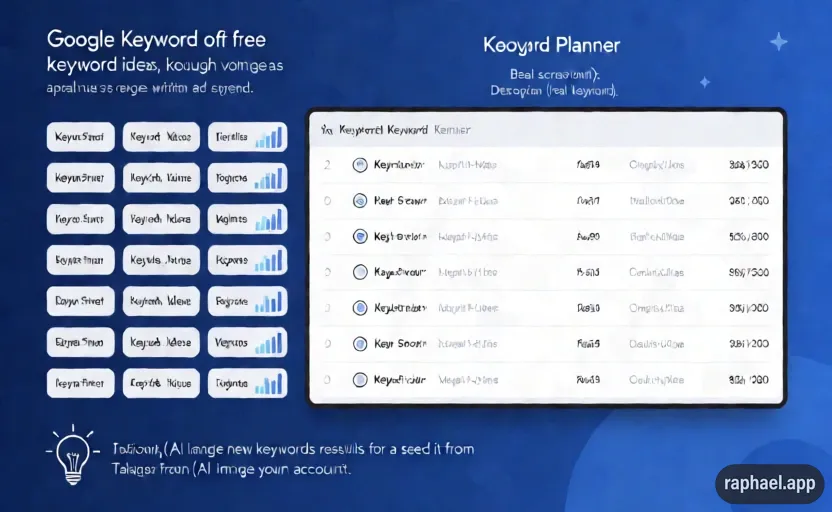
Best for: Free keyword ideas straight from Google’s ad data. Price: Free, but it requires a Google Ads account (you can create one without launching a campaign).
Keyword Planner generates related terms and shows demand. The catch is that without active ad spend, search volume is typically shown as broad ranges, such as “1K to 10K”, rather than precise numbers. Treat it as directional, not exact.
6. Google Trends
Official website: https://trends.google.com
Best for: Timing content and separating rising topics from fading ones. Price: Free
Trends compares interest between terms, reveals seasonality, and breaks interest down by region. Use it to decide when to publish a seasonal guide, and to sanity-check whether two phrasings of a keyword have different appetite.
7. Semrush
Official website: https://www.semrush.com
Best for: An all-in-one research platform: keywords, competitors, backlinks, audits and position tracking. Price: Pro plan $139.95 per month (about $117.33 per month on annual billing); Guru is $249.95 per month. Extra user seats cost more.
Semrush is comprehensive. You can see which keywords a competitor ranks for, uncover content gaps, run a technical audit and track positions in one dashboard. It also offers newer AI-visibility products, priced separately.
Caveat: The Pro plan has project and keyword limits, and several content tools sit behind the pricier Guru tier. For a single small site, it is probably overkill until the free stack stops answering your questions.
8. Ahrefs
Official website: https://ahrefs.com
Best for: Backlink analysis and competitor research. Price: Starter from $29 per month (limited), Lite $129 per month, Standard $249 per month. Ahrefs does not offer a standard free trial for paid plans.
Ahrefs is prized for the quality of its link index and for its clean research workflow. If your strategy leans on link building or analyzing who links to competitors, it earns its keep.
Caveat: Entry plans use a credit system and restrict some features, so check the plan comparison before committing. If your budget is tight, the next tool is a smart starting point.
9. Ahrefs Webmaster Tools
Official website: https://ahrefs.com/webmaster-tools
Best for: Free backlink and site-audit data for sites you own. Price: Free (verified site owners only)
If you can prove ownership of a domain, this free offering gives limited access to Site Explorer and Site Audit for it. It is an excellent way to see your own backlink profile and technical issues without a subscription.
Caveat: It covers your own verified sites, not competitors, so it will not replace a paid research suite.
Technical SEO, speed and schema
10. Screaming Frog SEO Spider
Official website: https://www.screamingfrog.co.uk/seo-spider/
Best for: Crawling your whole site like a search engine. Price: Free for up to 500 URLs; paid license $279 per year (about £199) with no monthly option.
Screaming Frog is a desktop crawler that exposes broken links, redirect chains, duplicate or missing titles and meta descriptions, canonical problems and much more. The free version is genuinely useful for small sites, though advanced features such as JavaScript rendering and saved crawls require the license.
Caveat: It reports problems; it does not repair them. Some fixes (server redirects, render-blocking scripts) need developer help.
11. PageSpeed Insights
Official website: https://pagespeed.web.dev
Best for: Page speed and Core Web Vitals, per URL. Price: Free
PageSpeed Insights shows two kinds of results: lab data from a simulated test, and field data that reflects what real Chrome users experienced, where enough exists. Look first at the field data, since that is closest to what Google sees. Then use the diagnostics list to find what is dragging a page down: oversized images, unused JavaScript, slow server response.
Caveat: Scores fluctuate between runs. Judge trends and individual metrics, not one number.
12. Google Rich Results Test
Official website: https://search.google.com/test/rich-results
Best for: Checking whether structured data is valid and eligible for rich results. Price: Free
Paste a URL or code and see which supported rich result types Google detects. An important correction to older advice: Google ended FAQ rich results in Search in May 2026 and removed FAQ support from the Rich Results Test in June 2026, after restricting them to a few authoritative sites back in 2023. HowTo rich results were retired in 2023 as well. FAQ and HowTo markup may remain on a page, but it no longer produces a visible result. Product, Recipe, Event, Article and similar types still matter, and valid markup never guarantees a rich result; Google decides.
13. Schema Markup Validator
Official website: https://validator.schema.org
Best for: Checking structured data syntax regardless of Google’s feature support. Price: Free
The Schema Markup Validator (validator.schema.org) tests whether your JSON-LD is well formed against the Schema.org vocabulary. Use it alongside the Rich Results Test: one checks syntax, the other checks Google-specific eligibility.
Behavior and AI-era tools
14. Microsoft Clarity
Official website: https://clarity.microsoft.com
Best for: Heatmaps and session recordings, free. Price: Free
Clarity shows where visitors click, how far they scroll and where they appear frustrated, such as rapid repeated “rage clicks”. There is an official WordPress plugin, so installation takes minutes. Numbers tell you that a page underperforms; recordings often show why.
Caveat: Session recording touches privacy. Review the consent and data-masking settings, and disclose its use in your privacy policy.
15. Rankability
Official website: https://www.rankability.com
Best for: Tracking brand visibility in AI answers alongside classic rankings. Price: Plans start at $99 per month per its pricing page.
Rankability monitors whether and where your brand is cited in AI-generated answers, and it also tracks traditional search rankings. It suits agencies and teams already invested in AI search.
Caveat: AI visibility measurement is a young field and results vary by prompt, so treat the data as a trend signal rather than gospel. For a small site, this is a later-stage purchase.
16. Claude
Official website: https://claude.ai
Best for: Turning raw SEO data into briefs, outlines and edits. Price: Free tier available; Pro is $20 per month ($17 per month billed annually).
Language models are useful after the data arrives. Export queries from Search Console, paste them in, and ask for clusters, content outlines, title variations or a critique of a draft. They are not a replacement for a rank tracker, and they can state wrong facts confidently, so verify every claim and add your own experience before publishing.
17. ChatGPT
Official website: https://chatgpt.com
Best for: Similar drafting and brainstorming support. Price: Free tier available; Go $8 per month, Plus $20 per month (US pricing).
ChatGPT is a comparable assistant for outlines, rewrites and idea generation. The same rule applies: use it to accelerate thinking, not to publish unreviewed text. Thin, generic AI copy is precisely what helpful-content systems are designed to demote.
Local SEO
18. Google Business Profile
Official website: https://www.google.com/business/
Best for: Appearing in local results and Google Maps. Price: Free
If you serve customers in a particular area, this is non-negotiable. Complete every field, choose accurate categories, keep hours current, upload real photos, and respond to reviews. Make sure your name, address and phone number match your WordPress site exactly.
Free vs paid: quick comparison
| Need | Free option | Paid option | Worth paying when |
|---|---|---|---|
| Search performance | Search Console | (Semrush, Ahrefs rank tracking) | You manage many sites or need competitor tracking |
| On-page SEO | Rank Math Free / Yoast Free | Rank Math Pro / Yoast Premium | You need rank tracking, redirects or internal linking help |
| Keyword research | Keyword Planner, Trends | Semrush, Ahrefs | You are targeting competitive keywords |
| Backlinks | Ahrefs Webmaster Tools | Ahrefs, Semrush | You run active link building |
| Technical audit | Screaming Frog (500 URLs), PSI | Screaming Frog license | Your site exceeds 500 URLs |
| User behavior | Clarity | (none needed) | Rarely |
| AI visibility | Manual spot checks | Rankability and similar | AI referrals matter to your business |
<a id=”seo-workflow”></a>
A simple WordPress SEO workflow
You do not run all 18 tools every week. Use them in sequence:
- Find opportunities. In Search Console, list pages ranking at positions 8 to 20 and queries with high impressions but weak click-through. Use Trends and Keyword Planner to size new topics.
- Check technical health. Crawl with Screaming Frog; test your most important pages in PageSpeed Insights; validate any schema.
- Improve the page. Update the title, meta description, headings and internal links through Rank Math or Yoast. Most importantly, make the content answer the search intent better than the current top results.
- Use AI sparingly. Let Claude or ChatGPT help with outlines and critique, and then rewrite in your own voice with real examples.
- Measure. Give changes three to four weeks, then compare clicks and impressions in Search Console and engagement in GA4.
- Watch behavior. Review a few Clarity recordings on pages that attract traffic but fail to convert.
- Repeat monthly.
Mistakes that quietly cost rankings
- Running two SEO plugins at once. Duplicate tags and conflicting sitemaps are common results.
- Chasing a perfect plugin score. Green lights do not guarantee rankings; usefulness does.
- Adding FAQ schema for a rich result. As noted above, those results no longer appear.
- Ignoring speed on heavy themes. A bloated theme can undo hours of content work.
- Buying expensive tools early. Master the free stack first.
- Publishing unedited AI text. It rarely contains first-hand experience, which is what readers and quality systems reward.
FAQs
What is the best SEO tool for WordPress? For most sites, a combination wins: Search Console for measurement, plus Rank Math or Yoast for on-page control. No single tool covers everything.
Is Rank Math or Yoast better? Rank Math offers more features in its free version and one Pro license covers unlimited personal sites. Yoast offers a long track record and per-site Premium licensing. Both work well.
Are there good free SEO tools for WordPress? Yes. Search Console, GA4, Rank Math Free or Yoast Free, PageSpeed Insights, Google Trends, Keyword Planner, Microsoft Clarity, Ahrefs Webmaster Tools and Screaming Frog’s free version (500 URLs) form a capable stack at no cost.
Do I need an SEO plugin at all? Not strictly, but a plugin makes titles, meta descriptions, sitemaps, redirects and schema far easier to manage from the dashboard.
Is Semrush or Ahrefs better for WordPress? Neither is WordPress-specific. Ahrefs is often favored for backlink research, Semrush for breadth. Try the free tools first and choose based on the gap you actually feel.
Does FAQ schema still help? It no longer produces FAQ rich results in Google, so do not add it expecting visible dropdowns. A genuine FAQ section can still serve readers and may help AI-style answers, but it is not a ranking shortcut.
When should I hire a WordPress SEO professional? When you face migrations, plugin conflicts, persistent crawl errors or speed problems you cannot resolve yourself.
TL;DR (Quick Answer)
The best SEO tools for WordPress are Google Search Console and GA4 (free measurement), Rank Math or Yoast SEO (on-page control, pick one), Screaming Frog and PageSpeed Insights (technical health), and Semrush or Ahrefs (paid research, only when you outgrow the free stack). A lean, free setup covers most small sites. Pay for research tools only after the basics are working.
Conclusion
The best SEO setup for WordPress is rarely the largest one. Begin with Search Console, GA4 and one on-page plugin. Add Screaming Frog and PageSpeed Insights to keep the technical side healthy. Reach for Semrush, Ahrefs or AI-visibility tracking only when a specific question demands them. Tools reveal what to fix; the ranking gains still come from publishing pages that are demonstrably more useful than what already exists.

Faisal Bhatti is the founder of FBguestpostservice.online, a specialized link building and digital PR outreach agency helping businesses, SEO agencies, and content creators grow their organic search visibility. With hands-on experience in white-hat backlink acquisition, editorial content placement, and authority-building outreach campaigns, Faisal Bhatti has helped clients across a wide range of niches — including technology & SaaS, business & finance, health & wellness, travel & tourism, lifestyle & fashion, education & e-learning, real estate, legal, home improvement, automotive, food & beverage, beauty & cosmetics, sports & fitness, gaming & entertainment, parenting & family, marketing & advertising, e-commerce & retail, crypto & blockchain, and B2B/SaaS industries — secure high-quality, contextually relevant backlinks that drive real, sustainable ranking growth. He is passionate about delivering genuine, quality-first SEO solutions rather than shortcuts, and continues to expand the FB Guest Post Service suite with practical, results-focused SEO tools.