How to Generate Robots.txt Files Spellmistake Free (Avoid Silent Errors!)
You can have the best content on the website and still lose visibility because of one tiny line in a plain text file. A single misspelled directive in your robots.txt can quietly expose private folders or leave crawlers confused, and nothing will warn you. This guide shows you how to generate robots.txt files spellmistake free using an automated robots txt maker so you can create robots txt online in minutes and publish with confidence.
What Is a Robots.txt File?
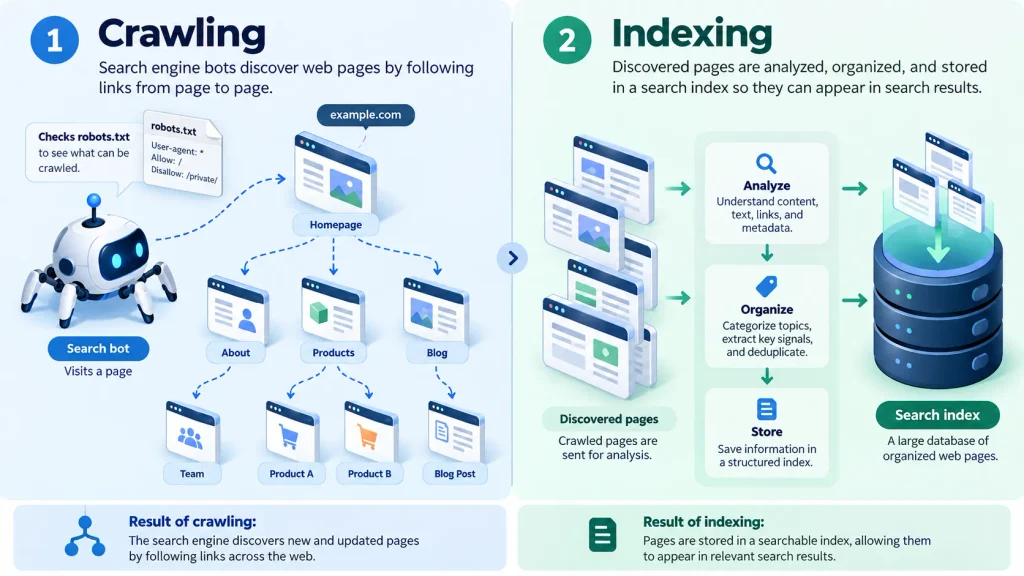
A robots.txt file is a plain text file that lives in the root directory of your website (for example, https://example.com/robots.txt). It tells search engine crawlers and web bots, such as Googlebot and Bingbot, which pages and folders they may visit and which they should stay out of.
Think of it as a polite sign on the front door of your site. Well-behaved bots read it before they explore anything else.
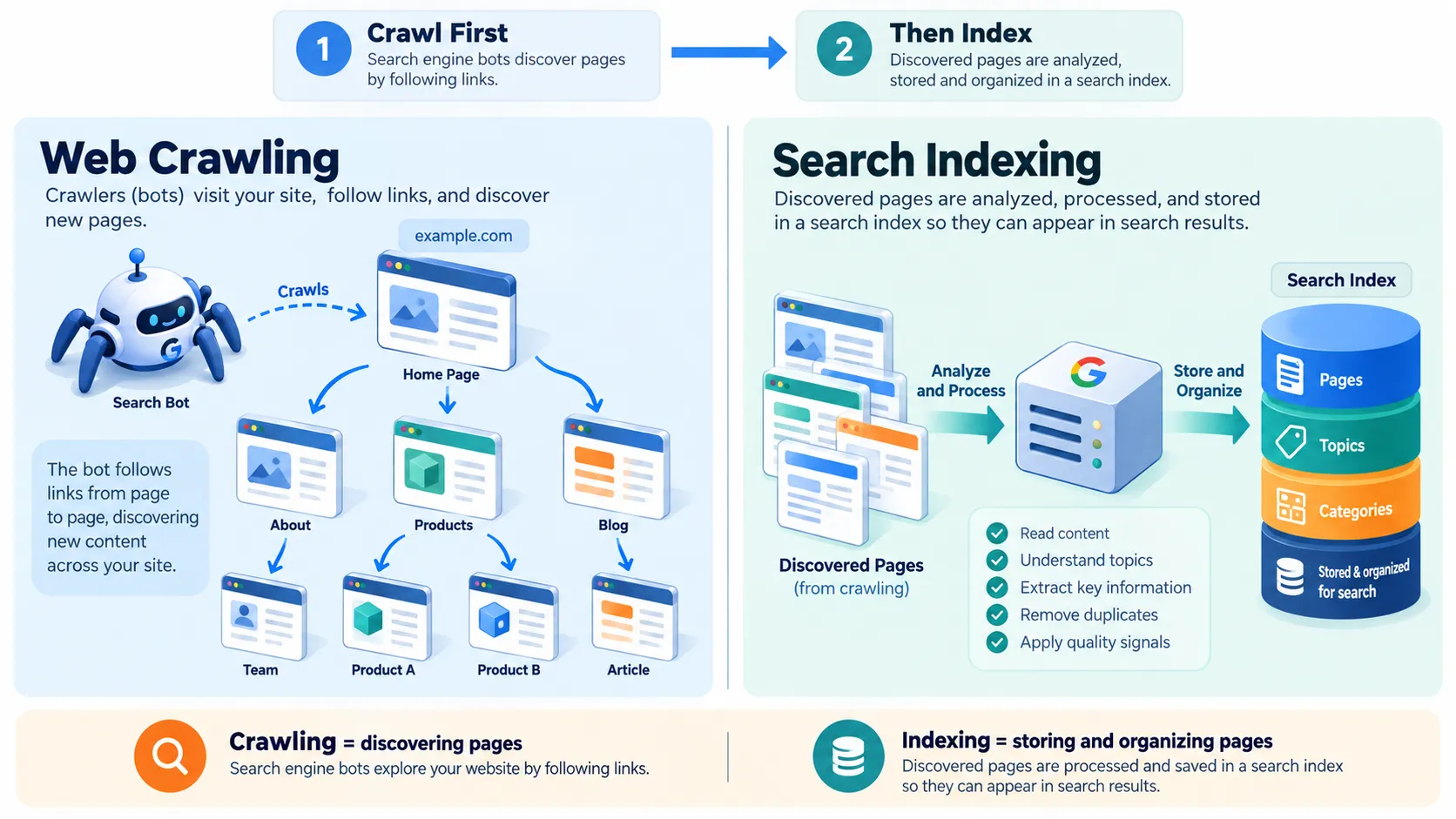
Crawling vs. Indexing: Know the Difference
This is where many site owners get tripped up.
- Robots.txt controls crawling, not indexing.
- If another website links to a page you blocked, that URL can still appear in search results, usually without a description.
- To keep a page out of search results entirely, use a
noindexmeta tag on the page itself (and make sure the page is not blocked in robots.txt, or crawlers will never see the tag).
It Is Not a Security Tool
Robots.txt is a request,= not a lock. Compliant bots respect it. Malicious scrapers and malware scanners can ignore it,= and the file itself is public,= so anyone can read it. Never rely on it to hide sensitive data. Use passwords, authentication,= or server-level restrictions instead.
Why Crawl Budget Matters
Search engines allocate a limited amount of crawling attention to each site. If bots waste time on admin panels, internal search results, or duplicate URLs they may reach your new pages late or less often. A clean robots.txt, paired with an XML sitemap steers crawlers toward the pages that actually deserve attention.
Why Use a Robots.txt Generator?
Writing the file by hand is easy until it isn’t a missing hyphen a stray space or a forgotten slash can change what a rule means.
A robots txt maker removes that risk by:
- Eliminating typos in directive names
- Enforcing correct syntax automatically
- Saving time, especially when you want separate rules for several bots
- Making AI bot controls simple, with toggles instead of memorized user-agent names
Popular options include the SpellMistake Robots.txt Generator and SEOptimer’s generator. Pick whichever interface you find clearest.
Step-by-Step: Create Robots.txt Online
- Open the generator tool. Visit your chosen robots txt maker in any browser.
- Set the global rule. Decide whether all robots are allowed by default or restricted by default. Most public sites choose “allow all” and then add specific exceptions.
- Tailor bot permissions. Set individual rules for search engines (Google, Bing) and AI crawlers such as GPTBot, ClaudeBot, and PerplexityBot. This is where you decide whether AI systems may crawl your content.
- Add disallow rules. List private or low-value directories like
/admin/or/private/. Always start paths with a leading forward slash. - Include your sitemap URL. Use the complete address, such as
https://example.com/sitemap.xml. - Generate, download, upload. Save the output as a plain text file and upload it to your site’s root folder.
Core Robots.txt Directives and Examples
Four directives do most of the work.
User-agent
Names the bot a rule group applies to. Use * for every bot, or a specific name for targeted rules.
User-agent: *
User-agent: Googlebot
Disallow
Tells the bot not to crawl a path.
Disallow: /admin/
Disallow: /private/
Allow
Creates an exception inside a blocked folder.
User-agent: *
Disallow: /downloads/
Allow: /downloads/free-guide.pdf
Sitemap
Points crawlers to your XML sitemap.
Sitemap: https://example.com/sitemap.xml
A Complete Example
User-agent: *
Disallow: /admin/
Disallow: /private/
Allow: /admin/help/

User-agent: GPTBot
Disallow: /

Sitemap: https://example.com/sitemap.xml
A Full Real-World Example: Search Bots and AI Crawlers
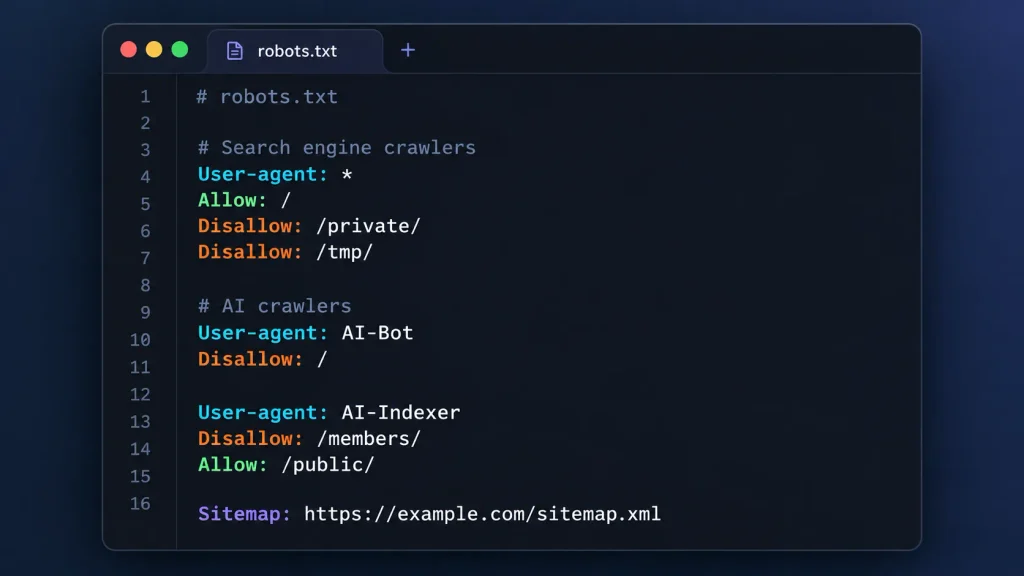
Most sites today need three layers of rules: a default for everyone, targeted rules for the major search engines, and a clear position on AI crawlers. Here is a complete, syntax-checked file that does all three, with a comment above each rule so you can see exactly what it does.
# Default group: applies to every compliant crawler not named in a group below.
User-agent: *
# Block the admin area for all other bots.
Disallow: /wp-admin/
# Keep the one admin file that front-end features depend on crawlable.
Allow: /wp-admin/admin-ajax.php
# Block private and staging folders for all other bots.
Disallow: /private/
Disallow: /staging/
# Block cart and internal search pages, which add no search value.
Disallow: /cart/
Disallow: /search/

# Google's crawler gets its own group, so it ignores the default group entirely.
User-agent: Googlebot
# Repeat the blocks here, because Googlebot will not inherit them from above.
Disallow: /wp-admin/
Allow: /wp-admin/admin-ajax.php
Disallow: /private/
Disallow: /staging/
Disallow: /cart/
Disallow: /search/

# Bing's crawler gets its own group, with the same restrictions as Googlebot.
User-agent: Bingbot
Disallow: /wp-admin/
Allow: /wp-admin/admin-ajax.php
Disallow: /private/
Disallow: /staging/
Disallow: /cart/
Disallow: /search/

# Block OpenAI's crawler from the entire site.
User-agent: GPTBot
Disallow: /

# Block Anthropic's crawler from the entire site.
User-agent: ClaudeBot
Disallow: /

# Block Perplexity's crawler from the entire site.
User-agent: PerplexityBot
Disallow: /

# Point all crawlers to your XML sitemap.
Sitemap: https://example.com/sitemap.xml
Why the rules repeat for Googlebot and Bingbot: A bot follows only the single most specific group that matches it. If you create a Googlebot group and leave out the Disallow lines, Googlebot can crawl /private/ and /staging/ even though the * group blocks them. If you don’t need separate rules for Google and Bing, delete those two groups and let them follow the default.
Adjusting the AI crawler rules:
- To allow AI crawlers but keep them out of certain areas, replace
Disallow: /with specific folders, such asDisallow: /private/. - To opt out of AI training without affecting Google Search rankings, add a
Google-Extendedgroup withDisallow: /. It is a control token, not a separate crawler. - These rules only stop crawlers that choose to comply. They will not stop scrapers that ignore robots.txt.
Replace example.com with your own domain, and if your site isn’t WordPress, swap the /wp-admin/ lines for your actual admin path.
Wildcards: Powerful, But Handle with Care
Major search engines support two special characters:
*matches any sequence of characters$marks the end of a URL
Disallow: /*?sessionid=
Disallow: /*.pdf$
The first line blocks URLs containing a session parameter. The second blocks URLs ending in .pdf. One misplaced wildcard can block far more than you intended, so test every pattern.
How to Generate Robots.txt Files Spellmistake Free Without Silent Failures
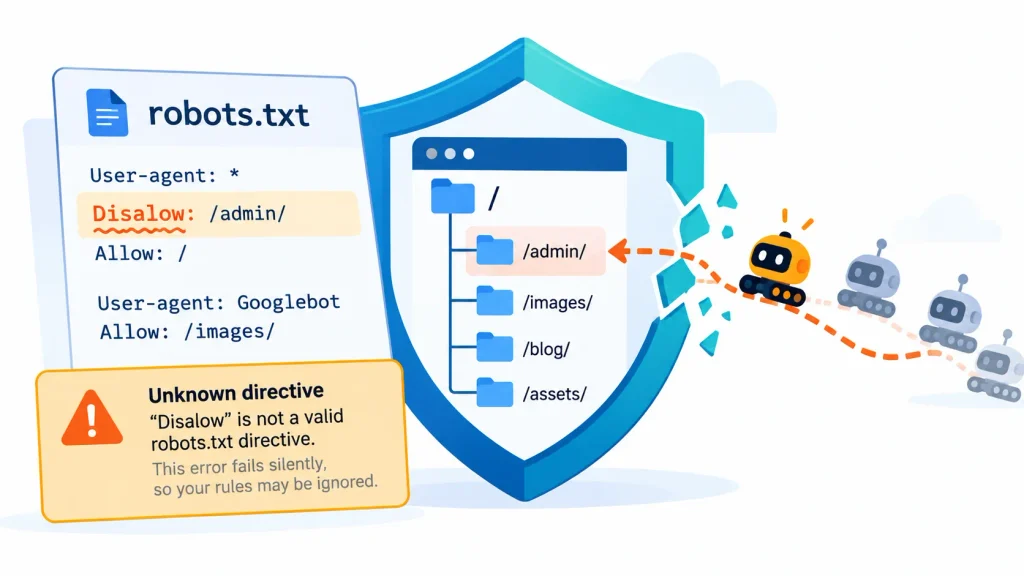
Here is the part most guides skip.
Crawlers do not throw an error when your robots.txt contains a typo. There is no 500 page, no red banner, no email. If you write Dissalow instead of Disallow, or Useragent without the hyphen, the crawler typically skips that line and keeps reading the rest of the file. Everything looks normal from your side.
What That Means for Your Site
- The folder you meant to protect from crawling stays open
- Staging areas, internal search pages, or thin duplicate content can get crawled and surface in results
- You may not notice until the damage shows up in rankings or crawl reports
Some parsers are lenient and may recognize a few common misspellings, but that behavior differs between bots and can change at any time. Never count on it.
How to Prevent It
- Use a generator. Tools produce directive names correctly every time, which is the whole point of a robots txt maker.
- Test after uploading. Check the robots.txt report in Google Search Console to confirm Google fetched the file and to see any parsing issues it flagged.
- Re-read the file out loud. Slow, but it catches missing hyphens and colons.
- Compare against the live file. Open
yoursite.com/robots.txtin a browser to confirm the version you uploaded is the one being served.
Robots.txt Best Practices
Name and Place It Correctly
- The file must be named exactly
robots.txt, in lowercase - It must sit in your root directory, never inside a plugin, theme, or subfolder
- Each subdomain needs its own file
Never Block CSS or JavaScript
Search engines render pages much like a browser does. If you block the stylesheets and scripts that make a page work, they may misread your layout and content. Leave those files crawlable.
Audit Regularly
Your site changes, and your robots.txt should keep pace. Review and retest the file whenever you:
- Redesign or migrate the site
- Add new sections or change URL structures
- Launch a staging environment
- Change your stance on AI crawlers
Quick Checklist
- [ ] File is named
robots.txt(lowercase) and sits in the root - [ ] Every directive name is spelled correctly, with hyphens and colons
- [ ] Paths begin with
/ - [ ] CSS and JS are not blocked
- [ ] Sitemap URL is complete and working
- [ ] File has been checked in Google Search Console
Final Thoughts
A robots.txt file is small, but its influence over crawling is large. Because mistakes fail silently, the safest approach is to generate robots.txt files with a reliable tool, verify them after upload, and review them whenever your site evolves. Use a robots txt maker, create robots txt online in a few minutes, and spend your time on what actually grows traffic: great content.

Faisal Bhatti is the founder of FBguestpostservice.online, a specialized link building and digital PR outreach agency helping businesses, SEO agencies, and content creators grow their organic search visibility. With hands-on experience in white-hat backlink acquisition, editorial content placement, and authority-building outreach campaigns, Faisal Bhatti has helped clients across a wide range of niches — including technology & SaaS, business & finance, health & wellness, travel & tourism, lifestyle & fashion, education & e-learning, real estate, legal, home improvement, automotive, food & beverage, beauty & cosmetics, sports & fitness, gaming & entertainment, parenting & family, marketing & advertising, e-commerce & retail, crypto & blockchain, and B2B/SaaS industries — secure high-quality, contextually relevant backlinks that drive real, sustainable ranking growth. He is passionate about delivering genuine, quality-first SEO solutions rather than shortcuts, and continues to expand the FB Guest Post Service suite with practical, results-focused SEO tools.